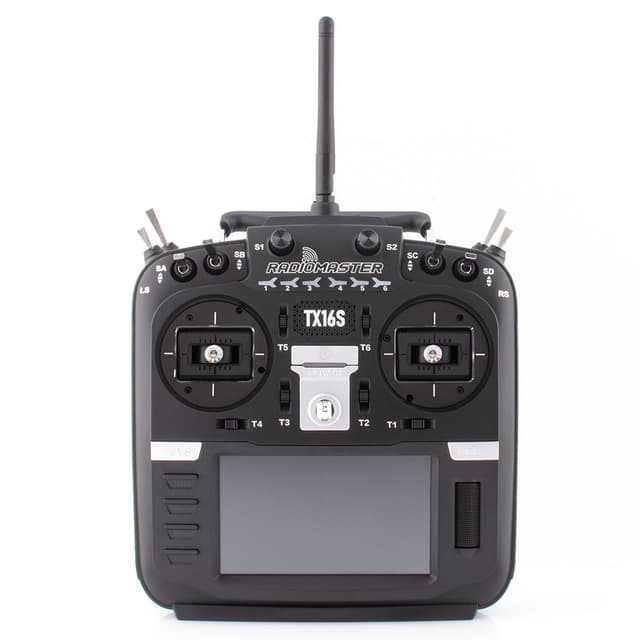
EdgeTX widgets for the RadioMaster TX16S Mark II
28 community-made widgets fit the RadioMaster TX16S Mark II's 480x272 color touchscreen. Each one is a free Lua widget you can download, copy to your SD card and pick from the radio's screen setup.
RadioMaster: Official EdgeTX, full touchscreen support.
Design your own RadioMaster TX16S Mark II widgetMade on a RadioMaster TX16S Mark II


More widgets that fit the RadioMaster TX16S Mark II

tetris
V@Valon Hajredini
15
00Feb 11 at 08:58 AM
Ares
M@Michael
13
00Mar 13 at 01:44 PM
Test-2
S@Steven Cox
11
00Jan 23 at 10:26 AM
snake
V@Valon Hajredini
10
00Feb 11 at 08:59 AM
test3
N@newticker
9
01Apr 4 at 01:57 PM
noWay
C@Captain Howdy
7
00Feb 5 at 11:14 PM
Widget2
P@pascal faytout
7
00Dec 26, 2025 at 10:57 AM
SpeedoMeter
V@Valon Hajredini
6
00Jan 12 at 01:53 AM
first
?@anonymous
6
00Feb 5 at 01:50 PM
def3
V@Victorien Vieira
6
00May 22 at 02:23 PM
P1
R@ritchy
5
00Jan 24 at 08:04 PM
Widget4
P@pascal faytout
4
00Feb 11 at 04:56 AM
admin
М@Максим
4
00Aug 17 at 11:22 AM
Test_widget
M@Motti Shonak
3
00Feb 5 at 08:58 PM
Test
S@Steve Barrow
3
00Feb 5 at 11:14 AM
7_segments
E@E H
2
00Jan 9 at 10:06 PM
ELRS_Quad
S@Steven Cox
1
00Jan 24 at 10:00 AM
BatteryManager
S@Simon Somers
1
00Mar 15 at 07:57 AMdef3-fork3
?@anonymous
1
00Sep 20 at 02:11 PM
WithDigitalBackgrondImag...
V@Valon Hajredini
0
00Feb 9 at 03:45 AM
Flo5KV1
F@flo röhr
0
00Oct 19 at 06:22 AM
Meto5
M@Mohamed Metwally
0
00Feb 2 at 02:12 PMFork of Widget2 (Copy)
B@Bernardo Fioramonti
0
00Apr 15 at 08:22 PMFork of Widget2 (Copy)
B@Bernardo Fioramonti
0
00Apr 15 at 08:22 PM
TwinStar
?@anonymous
0
0010:06 AM
TwinStar
?@anonymous
0
0010:08 AMHow to install a widget on the RadioMaster TX16S Mark II
- Open a widget above and click Download. You get a ZIP built for 480x272 screens.
- Unzip it and copy the folder inside
WIDGETSto/WIDGETS/on the RadioMaster TX16S Mark II's SD card, so the script sits at/WIDGETS/<folder>/main.lua. - Restart the radio, open Screens setup, pick a layout and a widget zone, and select the widget (you can tap through these menus on the touchscreen).
- Widgets need EdgeTX 2.8 or newer on the radio.
Radios that share the RadioMaster TX16S Mark II's screen
Widgets made for any of these 480x272 radios also run on the RadioMaster TX16S Mark II.